Digital safety planning tools help construction teams manage job site hazards. These platforms support inspections, update crews, and flag risks before work begins.
On construction sites across New York City, many contractors now use them to keep safety documents in one place.
In this guide, you’ll learn how these tools work, where they help most, and why human oversight still matters.
What Do Digital Safety Tools Do on Construction Sites?
Digital safety planning tools for construction help companies manage safety protocols across active job sites. These platforms support inspections, document safety data, and track compliance with local and federal safety regulations.
Some tools focus on early risk assessment. Others support daily safety checks, alerts, and real-time reporting.
This software helps organize safety documents that often get scattered across emails, paper logs, or outdated folders. When everything is accessible in one digital space, managing safety gets easier for everyone on site.
4 Types of Digital Tools That Improve Construction Site Safety
Below are four key categories of software tools that support safer construction site operations from start to finish.
1. Digital Tools for Pre-Construction Safety Analysis
Before work begins, construction companies use digital systems to spot hazards in site layouts and project timelines.
Key tools include:
- BIM (Building Information Modeling): This tool creates 3D models that reveal fall hazards, tight work zones, or poor material access routes. Safety personnel can identify risks by walking through the site virtually.
- Digital twins: These systems generate a virtual version of the physical jobsite by using data from sensors and GPS. Teams can simulate emergencies or test layout changes without disrupting field operations.
- Virtual and augmented reality platforms: Workers can enter simulated scenarios, such as electrical fires or scaffold failures. These tools support hands-on safety education without putting anyone at risk.
This category of software supports early-stage risk assessment by making hazards visible before field work begins.
2. Real-Time Hazard Monitoring Tools
Once construction starts, conditions shift constantly. Real-time tools help supervisors monitor activity across the site and respond quickly when risks appear.
Useful tools include:
- Mobile safety apps such as iAuditor or SiteDocs: Workers and foremen can log inspections, report hazards, and complete safety checklists directly from the field. Offline access helps in areas without a signal.
- Wearables and real-time location systems: These tools track worker movement and issue alerts when someone enters restricted areas. Some wearables monitor fatigue or physical strain to help prevent accidents.
- Drones and camera systems: These technologies scan hard-to-reach or high-risk areas without sending people into unsafe conditions. They help safety managers conduct inspections without pausing construction activity.
These tools support safer work environments by keeping site teams informed throughout each shift.
3. Safety Software for Documentation and Compliance
Meeting safety regulations requires reliable documentation. Software tools centralize records, organize safety procedures, and prepare companies for audits.
Platforms often include:
- Environmental, health, and safety (EHS) systems: These tools house safety plans, inspection reports, and worker certifications in a single location. Site managers can pull records as needed for inspections or internal reviews.
- Analytics dashboards: These track safety performance across projects. They flag incomplete safety checks, recurring hazards, and open corrective actions.
- Predictive data tools: These systems use historical data to forecast risks. For example, if injuries often happen near hoists or stairwells, the system may flag those areas for extra checks.
This software supports both compliance and performance tracking without relying on paper-based workflows.
4. Toolbox Talk and Pre-Task Safety Meeting Tools
Daily briefings keep crews aligned on risks and safety protocols. Software tools help teams record attendance, share safety topics, and review hazards tied to specific job tasks.
Reliable options include:
- Toolbox talk apps like Raken and SafetyCulture: Supervisors can select a topic, document who attended, and capture signatures from crew members in real time.
- Pre-task planning platforms such as HammerTech or Sitemate: These tools let foremen build safety checklists for specific tasks. Workers review the list and sign before beginning work.
- Integrated records: Many systems sync safety check data and talk with broader safety documentation. That helps construction companies track safety education across teams and job phases.
These apps improve safety communication and support better habits on construction sites.
Can Digital Tools Replace Human Safety Oversight?
No, digital tools can’t replace human safety oversight on a construction site.
Software can support inspections, track checklists, and send alerts. But it can’t walk the jobsite, read body language, or talk to a worker about unsafe behavior.
Apps can’t tell if a worker is rushing to meet a deadline or using equipment the wrong way. Only people notice those warning signs.
Each site has unique risks. Weather, location, building layout, and crew experience all change how safety plays out on the ground.
Safety professionals know how to adjust plans based on what they see and hear on-site. They don’t just read reports. They walk through scaffolds, talk to foremen, and help teams stay focused.
Pair Safety Software With Menotti’s On-Site Expertise
Digital tools support better safety management, but they don’t replace the people who keep construction sites safe day to day.
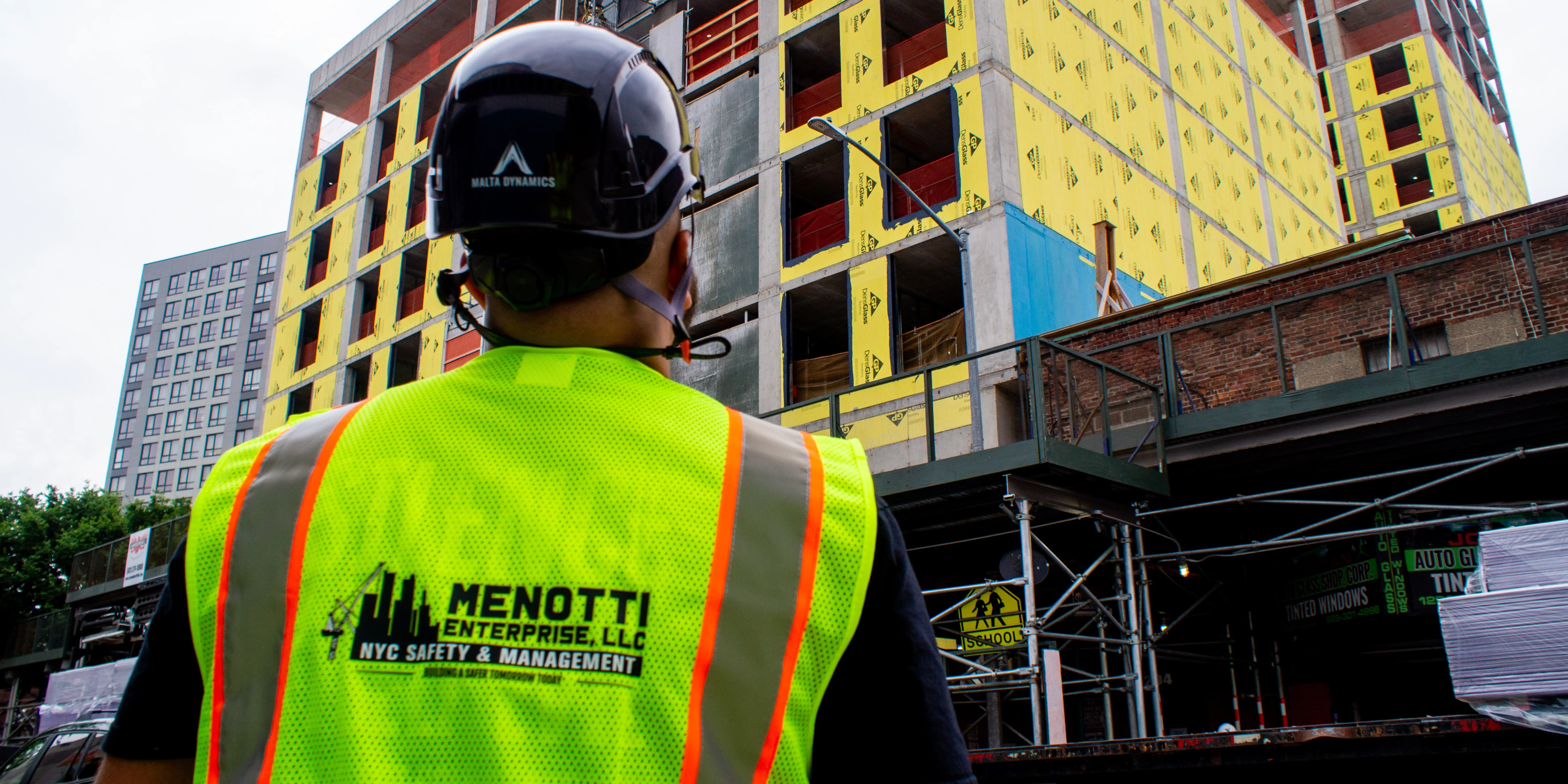
Menotti Enterprise works alongside contractors to bridge that gap. We help teams apply safety software in the field, not just on paper.
Our consultants walk the site, talk with crews, and flag safety concerns that digital systems might miss. We prepare DOB-compliant plans that reflect actual site conditions and help project teams stay ready for inspections.
We also support teams during audits, walkthroughs, and worker orientations. Whether you’re starting a new project or revising an existing plan, we help align digital systems with on-the-ground practices.
Contact Menotti Enterprise to schedule a site safety planning review or learn more about our consulting services. We’re here to help build safer projects across New York City.
Frequently Asked Questions
How do digital safety tools help reduce jobsite incidents?
These tools help by tracking hazards, sending alerts, and organizing inspections. They also improve communication between field crews and supervisors.
Are digital safety apps useful on smaller construction projects?
Yes. Even small projects benefit from mobile safety checklists, daily reports, and toolbox talk tracking. These tools keep safety records organized.
What’s the difference between a general safety plan and a site-specific one?
A general plan covers basic procedures for any site. A site-specific plan addresses the actual hazards, layouts, and crews involved in a particular project.
Do contractors need to use safety software to meet NYC compliance?
Software isn’t required, but it helps. It keeps inspection logs, permits, and safety plans easy to access during DOB inspections or audits.